

Custom Web Services: The Smart Way to Scale Your Business...
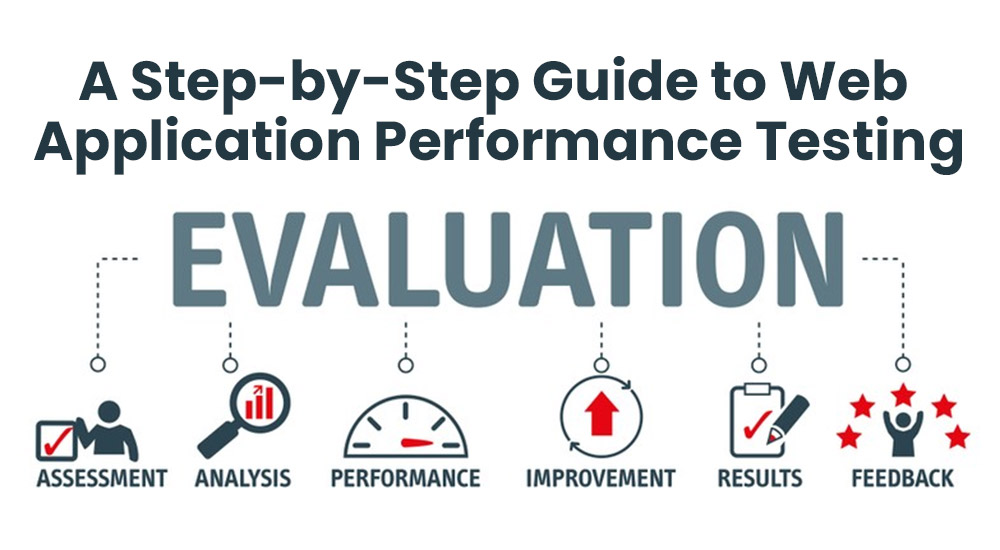
Read MoreUnlocking Peak Efficiency: A Step-by-Step Guide to Web Application Performance Testing
In today’s fast-paced digital environment, the performance of a web application is crucial for user satisfaction, retention, and business success. A slow or unreliable application can lead to lost customers and diminished trust. Performance testing ensures your web app meets the required speed, scalability, and stability standards under different conditions.
Here’s a step-by-step guide on how to effectively conduct performance testing for a web application.
Table of Contents
- Understand the Basics of Performance Testing
- Define Performance Metrics
- Choose the Right Tools
- To ensure accurate results
- Design Test Scenarios
- Execute Tests
- Analyze Results
- Optimize and Re-test
- Continuously Monitor Performance
- Conclusion
1. Understand the Basics of Performance Testing
- Load Testing: Measures application behavior under expected user load.
- Stress Testing: Examines performance under extreme conditions to identify breaking points.
- Spike Testing: Tests how the application handles sudden, extreme increases in traffic.
- Endurance Testing: Checks if the application can sustain the expected load over an extended period.
- Scalability Testing: Evaluates the application’s ability to scale up with increased workload.
2. Define Performance Metrics
Key performance metrics help determine if your application is performing optimally:
- Response Time: The time it takes for the application to respond to a user request.
- Throughput: The number of transactions or requests the system can process per second.
- Concurrent Users: The number of users the system can handle simultaneously.
- Error Rate: The percentage of failed requests.
- CPU and Memory Usage: Resources consumed by the application during operation.
3.Choose the Right Tools
Several tools are available for performance testing, depending on your requirements:
- JMeter: A popular open-source tool for load testing.
- LoadRunner: A comprehensive tool for enterprise-grade testing.
- Gatling: Focuses on continuous load testing with high performance.
- Apache Benchmark (AB): A lightweight command-line tool for basic testing.
- BlazeMeter: A cloud-based solution compatible with JMeter scripts.
4.To ensure accurate results:
- Use a Dedicated Test Environment: Mimic the production environment as closely as possible.
- Set Up Monitoring Tools: Tools like New Relic, Dynatrace, or Grafana can monitor system performance during tests.
- Prepare Test Data: Use realistic datasets that mirror production data.
5.Design Test Scenarios
Your test scenarios should align with real-world user behavior. For instance:
- Simulate login, data retrieval, and form submissions.
- Include scenarios for peak hours or high-demand events.
- Test across different browsers, devices, and network conditions.
6.Execute Tests
7. Analyze Results
Once testing is complete, evaluate the results:
- Identify bottlenecks, such as slow database queries or poorly optimized APIs.
- Check for memory leaks, excessive CPU usage, or high error rates.
- Compare results against predefined benchmarks and KPIs.
8. Optimize and Re-test
After identifying issues:
- Optimize Code: Resolve inefficiencies in application logic or database queries.
- Enhance Server Configurations: Upgrade hardware or tweak settings to improve performance.
- Deploy Caching Solutions: Use tools like Redis or Memcached to reduce server load.
- Re-run Tests: Ensure changes have the desired impact.
9. Continuously Monitor Performance
Performance testing isn’t a one-time activity. Use Application Performance Monitoring (APM) tools to continuously track and analyze your web app’s performance in production.
10.Conclusion
Performance testing is essential for delivering a smooth and responsive user experience. By systematically planning, executing, and analyzing performance tests, you can identify and resolve potential bottlenecks, ensuring your web application remains reliable and efficient under varying conditions.
Incorporate these steps into your development lifecycle to guarantee high-quality performance for your users—and stay ahead in today’s competitive digital landscape.
Are you using performance testing for your web applications? Let us know your favorite tools and strategies in the comments!
Categories
Recent Articles
Custom Web Services: The Smart
Custom Web Services: The Smart Way to Scale Your Business...
Read MoreThe API Revolution: Driving the
The API Revolution Driving the Future of Web Services In...
Read More🌐 Web Services: Fueling Digital

🌐 Web Services: Fueling Digital Innovation for Modern Businesses In...
Read More